Pocket Option AI Trading Bot
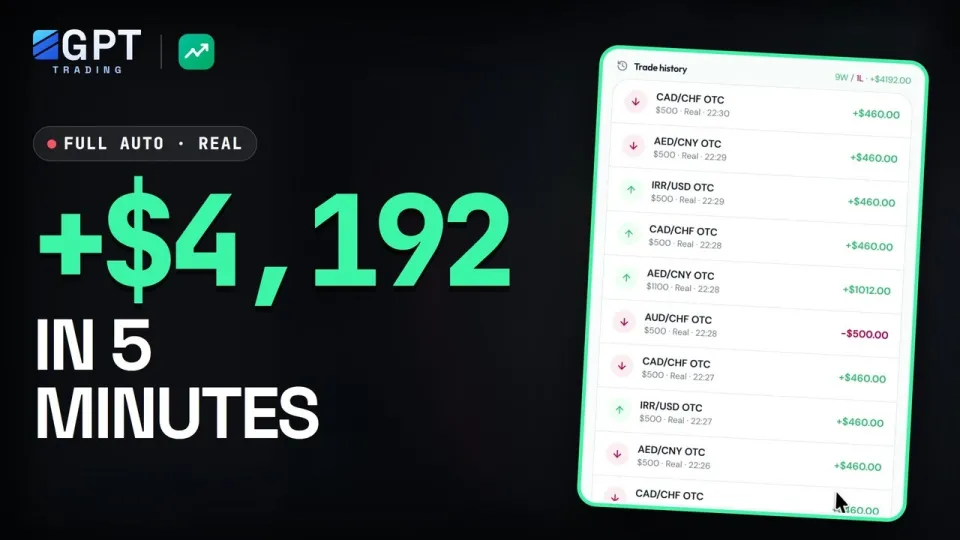
Video: Pocket Option AI Trading Bot | Real Account | +$4,192 in 5 Minutes (2026)
· based on the channel GPT Trading BOT | Pocket Option Auto Trading
Key takeaways
- GPT Trading ran a full-auto session on a real Pocket Option account with a $41,455.44 starting balance.
- Settings: Gold status, Performance mode, 3–30 second deal time, auto-selected currency pair, $500 per trade, one-step Martingale, 10-deal limit.
- Result: 9 wins and 1 loss, +$4,192 in under five minutes, closing balance $45,647.44.
- Gold status unlocks automatically once the Pocket Option balance is above $300 and enables automated risk management and Performance mode.
- The bot runs in the cloud, requires the trader's permission to start, and Gold status imposes no limit on the number of deals.
A Pocket Option AI trading bot is software that opens and closes trades on your Pocket Option account automatically, based on its own signal logic rather than manual clicks. In a real-account test published by the GPT Trading BOT channel, one full-auto session with GPT Trading produced 9 wins and 1 loss, turning a $41,455.44 balance into $45,647.44 — +$4,192 in under five minutes. You can see the same setup and try GPT Trading for free before deciding whether to connect a live account.
What the real-account Pocket Option AI trading bot session looked like
The test was a single continuous session on a funded live account, not a demo, and the recording covers everything from the settings screen to the final deal — including the loss. The trader used Gold status with Performance mode, a deal time of 3 to 30 seconds, automatic currency-pair selection, a $500 trade amount, one-step Martingale and a 10-deal limit. The run finished with 9 wins and 1 loss in under five minutes, and the balance moved from $41,455.44 to $45,647.44.
The important detail is that the loss is shown, not edited out. A 9-out-of-10 win rate is a strong session, but it is one session, and the channel's own risk warning states that results shown are not typical or guaranteed. That framing matters more than the headline number: automated trading changes who presses the button, not the underlying risk of binary options.
Settings used in the automated Pocket Option session
The configuration is deliberately simple, with every parameter set before the session starts and no manual intervention during it:
- Status: Gold, which activates automatically once the Pocket Option balance is above $300.
- Mode: Performance, which is unlocked by Gold and pairs with automated risk management.
- Deal time: 3 to 30 seconds, so trades resolve quickly and the session compresses into minutes.
- Currency pair: auto-select, meaning the bot picks the asset rather than the trader.
- Trade amount: $500 per deal, roughly 1.2% of the starting balance.
- Risk management: one-step Martingale.
- Deal limit: 10 deals, which is what keeps the session to about five minutes.
Nothing is configured inside a trading terminal — the settings sync through the cloud, and the session does not start until the trader taps Start Auto Session. On Gold there is no cap on the number of deals, so the 10-deal limit here was a deliberate choice rather than a platform restriction.
How one-step Martingale affects a $500 trade size
Martingale is a position-sizing rule, not a signal: after a losing trade, the next stake is increased by one step to recover the loss plus the original target. With one-step Martingale and a $500 base amount, a loss is followed by a single larger trade, and if that trade also loses, the sequence stops stepping rather than escalating indefinitely.
This is why the deal limit and the step count matter together. A pure Martingale can double the stake repeatedly and wipe an account in a short losing streak; a one-step version caps the escalation at a single recovery attempt. At $500 per trade on a $41,455 balance, the sizing stays modest, but a trader starting with $500–$1,000 total should scale the amount down proportionally rather than copying the figure from the video.
Common questions about Pocket Option auto trading bots
Three doubts come up repeatedly around automated trading on Pocket Option, and each has a practical answer.
Do you need to check signals before starting the bot? No. The point of full-auto mode is that the bot generates and executes signals itself; the trader only chooses mode, deal time, pair and amount, then starts the session. Manual confirmation would make it semi-automatic rather than automated.
Will the account be blocked for automated trading? Pocket Option's terms restrict certain automated and third-party tools, and that risk sits with the user. The GPT Trading approach is built around user permission — the bot cannot operate without the trader authorising the session — but no third-party bot can guarantee platform tolerance, so treat this as a risk to weigh rather than a settled question.
What deposit is needed for Gold? Gold activates automatically once the balance is above $300. Silver, the lower tier, automates trading but does not manage risk, which is the main functional difference between the tiers.
Where to find GPT Trading links and the private club
All official resources from the video breakdown are listed below, and the URLs are reproduced exactly as published:
- Free trial of the bot: https://gpt-trading.app/landing/go?vid_gCKlCVjNFvY
- Private club with reviews, news and giveaways: https://t.me/gpt_trading_club
- GPT Trading website: https://gpt-trading.io
The video also lists the promocode GPT100, which doubles the first deposit. Verify current terms on the official site before depositing, since promotional conditions can change.
Conclusion
A real-account session with the Pocket Option AI trading bot produced 9 wins and 1 loss, +$4,192 in under five minutes, on a $41,455.44 starting balance with $500 trades and one-step Martingale. The settings are simple and the session is fully automated, but the outcome is a single sample, and the channel itself flags that such results are not typical or guaranteed. Anyone testing the bot should start with an amount they can afford to lose and scale stakes to their own balance rather than copying the $500 figure. The breakdown was published by the channel GPT Trading BOT | Pocket Option Auto Trading, and the free trial link is the sensible first step: start with GPT Trading.
Source: Pocket Option AI Trading Bot | Real Account | +$4,192 in 5 Minutes (2026) · Markdown version
Questions & answers
How do I set up the Pocket Option AI trading bot for the first time?
Register through the GPT Trading link, connect your Pocket Option account and confirm the permission request — the bot cannot trade without it. Then choose the mode, deal time, currency pair (or auto-select) and trade amount, and tap Start Auto Session. Everything syncs in the cloud, so there is nothing to install or configure in a terminal.
Do I need to approve each signal before the bot places a trade?
No. In full-auto mode the bot generates and executes signals on its own, and the only decisions you make are the settings at the start of the session. If you want to filter signals manually, that becomes semi-automatic trading rather than the automated mode shown in the test.
How does the one-step Martingale in this session work?
After a losing trade, the stake is increased by one step to recover the loss plus the original target, and the escalation stops after that single step. With a $500 base amount, one loss triggers one larger follow-up trade rather than an open-ended doubling sequence. Pair it with a deal limit so a short losing streak cannot run unchecked.
Is automated trading allowed on Pocket Option, and can the account be blocked?
Pocket Option's terms restrict certain automated and third-party tools, so using a bot carries account risk that the user accepts. GPT Trading is built around explicit user permission and cloud sync, but no third-party provider can guarantee platform tolerance. Check the current terms and never fund an account with money you cannot afford to lose.